
AI Browsers 2026 are the reason my own browsing habits changed for good, and I remember the exact moment it happened. I was trying to book a rental car for a trip, and instead of the usual routine — four tabs open, the same search typed four different ways, prices copied into my Notes app so I could compare them later — I just asked. One sentence, one answer, done in under two minutes. Honestly, it felt almost too easy.
That small moment is basically the whole story behind the buzz around AI browsers in 2026. For thirty-odd years, a browser had one job: show you a page and get out of the way while you clicked around. You did the reading, the comparing, the remembering. Now a new wave of browsers is stepping in to do some of that thinking with you — not replacing your judgment, just cutting out the boring, repetitive part in the middle.
At AI Tech Pulse, we’ve spent months putting these tools through their paces, sorting out which claims actually hold up and which ones are still just marketing talk. This is our honest, no-hype breakdown of what AI browsers in 2026 can genuinely do that Chrome still can’t — along with a few places where you’ll want to keep your hands on the wheel before handing over too much control.
So, What Exactly Is an AI Browser?
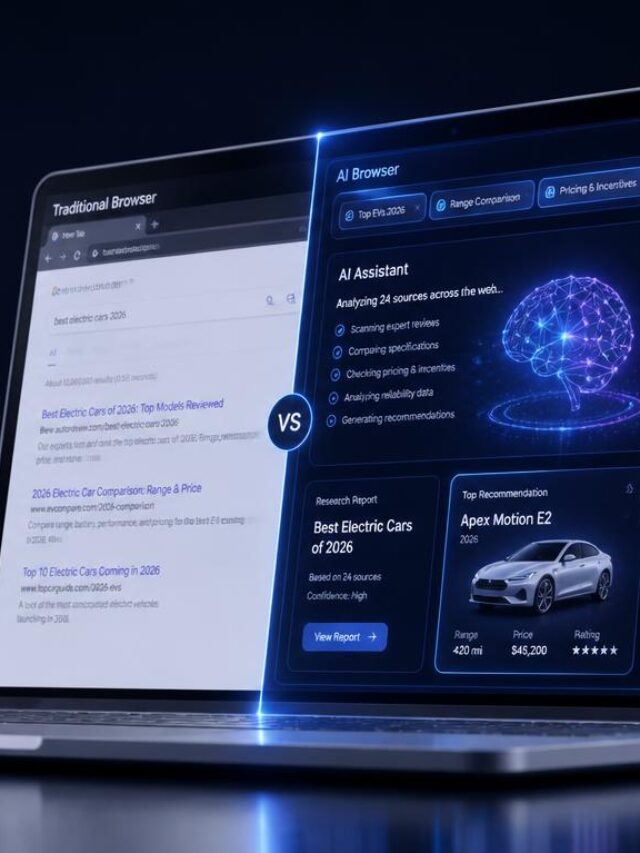
Take away the marketing language, and an AI browser is really just a regular browser — usually built on the same Chromium engine Chrome runs on — with a language model plugged directly into it. Instead of sitting off in a separate tab or extension, the AI can actually see the page in front of you, chat with you about it, and in the more advanced versions, click and type on your behalf.
That’s a genuinely different kind of relationship than what most of us are used to. A search engine gives you a pile of links and leaves you to it. A chatbot answers your questions in a blank box, completely cut off from whatever you were actually doing on screen. An AI browser, though, lives right inside the page — it reads what’s actually there and can act on it in real time.

Traditional Browser vs Search Engine vs AI Chatbot vs AI Browser
The Evolution of Web Tools: Browsers vs. AI Agents
| Feature | Traditional Browser | Search Engine | AI Chatbot | AI Browser |
|---|---|---|---|---|
| 🌐 Shows web pages | Yes | No (links only) | No | Yes |
| 🧠 Understands page content | No | No | Only if pasted in | Yes, natively |
| 💬 Answers questions about current view | No | Indirectly | Only with manual input | Yes, directly |
| 🗂️ Acts across multiple tabs | No | No | No | Increasingly, yes |
| 🔄 Remembers context across a session | Limited (history) | No | Sometimes | Often, yes |
| ⚙️ Performs multi-step tasks | No | No | Rarely, without tools | Yes, in agent mode |
Why AI Browsers 2026 Are Getting So Much Attention
A year ago, “AI browser” mostly meant a chatbot sidebar bolted onto the side of Chrome. That’s changed fast. Perplexity’s Comet has been free and available across Windows, Mac, iOS, and Android since late 2025, and OpenAI followed close behind with ChatGPT Atlas — a Chromium-based browser built around ChatGPT, complete with an “agent mode” that lets paying ChatGPT Plus subscribers hand off tasks like opening a site, running a search, and acting on whatever it finds. Google, not one to sit out a trend like this, has been quietly folding Gemini directly into Chrome itself.
That’s really the reason AI Browsers 2026 are suddenly everywhere: three of the biggest names in tech are now competing directly for the browser tab, not just the chatbot window. The browser is the single app most people spend the biggest chunk of their desktop time in, and it’s effectively being rebuilt around an AI agent — that’s a big enough shift to pay attention to, even if you have zero plans to leave Chrome.
Think about the last time you researched something genuinely complicated — a mortgage, a health question, a new laptop. You probably opened a dozen tabs, skimmed half of them, and gave up on a few because they were just too long to get through properly. That’s exactly the friction AI browser technology is trying to remove.
AI Browser vs Chrome: What Actually Changes?
Let’s be fair to Chrome here, because it’s earned it. Chrome is fast, secure, endlessly extensible, and it’s the browser roughly two out of three internet users already trust with their passwords, bookmarks, and daily habits. Nothing about AI Browsers 2026 makes Chrome bad — it just makes Chrome’s job a little narrower than it used to be.
A traditional browser’s job is to render pages and get out of your way. An AI web browser tries to go one step further — understanding what you’re actually trying to accomplish, and helping you get there, instead of just showing you where to look.
AI Browser vs Traditional Chrome Experience
Browsing Workflows: Traditional Chrome vs. AI Browser
| Task / Action | Traditional Chrome | AI Browser |
|---|---|---|
| 🔍 Searching | You type keywords, scan results | You ask a question, get a direct answer with sources |
| 📄 Reading a long page | You skim manually | AI can summarize the page for you |
| 📊 Comparing options | You open tabs and take notes | AI can pull details from several pages into one view |
| 🔬 Research | Manual, tab-heavy | Assisted, cross-page reasoning |
| 🔄 Repetitive tasks | You repeat clicks each time | AI can handle some repetitive steps |
| ⚙️ Multi-step tasks | You do every step yourself | Agent mode can complete several steps in sequence |
| 🤝 Personal assistance | None built in | Context-aware suggestions based on the page |
The honest caveat: independent testers have found that practically any other browser still beats an AI browser for ordinary, everyday web surfing — the AI layer shines on research and multi-step tasks, not on speed-browsing your usual sites.
How AI Browsers Actually Work
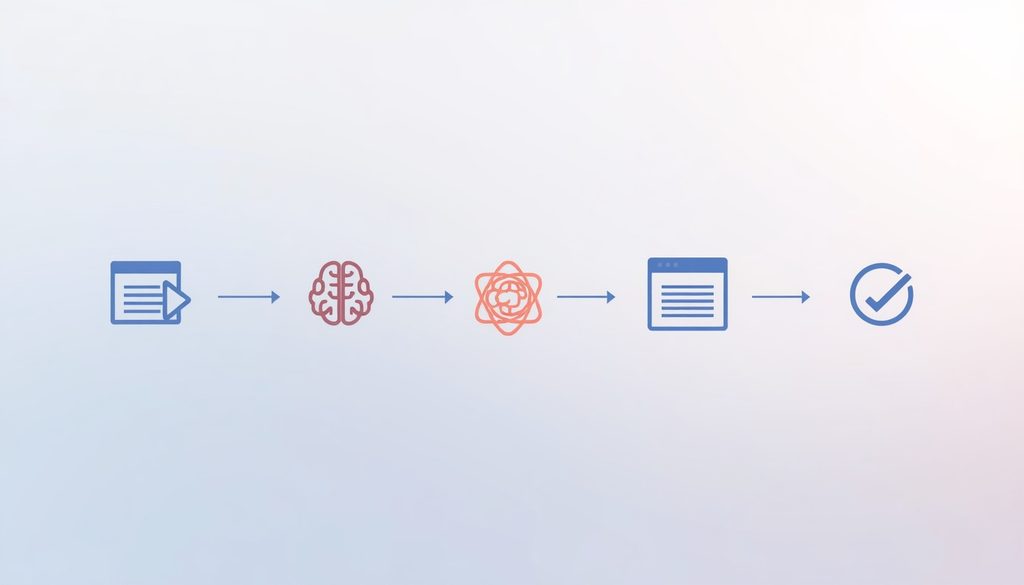
Underneath the friendly chat window, there’s a fairly consistent pipeline running:
- Browser interface — the familiar window, tabs, and address bar you already know.
- AI model — a language model connected to the browser, either running through a cloud API or (less commonly, so far) partly on-device.
- Context understanding — the AI reads the structure and text of the page you’re currently on.
- Webpage analysis — it extracts the relevant parts: prices, dates, key facts, headlines.
- User instructions — you type or speak what you actually want.
- Task execution — for agentic tools, the AI clicks, scrolls, and fills in forms across one or more sites.
- Human confirmation — for anything sensitive, like a purchase or a form submission, a well-designed AI browser pauses and asks you to approve it first.
That last step matters more than it sounds. It’s the difference between an assistant that saves you time and one that makes a costly mistake on your behalf while you’re not looking.
Three Capabilities Chrome Doesn’t Have
1. They Can Understand Entire Web Pages
This is the most mature capability of any AI browser feature, and it’s the one most people notice first. Instead of skimming a 2,000-word article yourself, you can ask the browser to summarize it, pull out the key numbers, or answer a specific question about it — without leaving the page.
Picture reading a long product review before buying headphones. Normally you’d scroll, skim, maybe give up halfway through. With an AI browser, you can just ask: “What does this review say about battery life and comfort?” and get a direct answer pulled straight from the text in front of you.
Traditional Reading vs AI-Assisted Reading
Reading Workflows: Traditional vs. AI-Assisted
| Reading Metric | Traditional Reading | AI-Assisted Reading |
|---|---|---|
| ⏳ Time to find a specific fact | Several minutes of scanning | A few seconds |
| 📄 Long, dense pages | Often skipped or skimmed | Condensed into key points |
| 📊 Comparing claims across a page | Manual, easy to miss details | AI can extract and organize them |
| ⚡ Effort required | High | Low |
2. They Can Research Across Multiple Pages
Single-page summarizing is useful, but the bigger shift is what happens when an AI browser starts reasoning across several open pages at once — this is where it stops feeling like a smarter search box and starts feeling like a research assistant.
Say you’re comparing project management software for a small team. Normally that means opening five vendor pages, three review sites, and a Reddit thread, then trying to hold all of it in your head at once. An AI browser can pull relevant details from each open tab — pricing tiers, standout features, common complaints — and lay them out together, so you’re comparing information instead of hunting for it.
3. They Can Handle Multi-Step Web Tasks
This is the capability generating the most excitement — and the most caution. In “agent mode,” some AI browsers 2026 can string together several actions on your behalf: finding information, comparing options, organizing the results, and preparing everything for a final decision.
For example, one tester asked Perplexity Comet to plan a three-day trip to Lisbon in January with hotel options near the city center, flight prices from New York, and a simple itinerary — and instead of returning a list of travel sites, it opened relevant pages itself, shortlisted well-reviewed hotels, summarized flight prices, and produced a working itinerary. That’s a genuinely different experience from typing the same request into a search bar.
The responsible versions of this feature stop short of taking real-world action — like completing a purchase or submitting sensitive personal information — without asking you first. A browser that quietly buys something or fills in a password field on its own isn’t saving you time; it’s taking a risk you didn’t agree to. We won’t be covering ways to push an AI browser past those guardrails here — that’s not what this feature is for, and it’s not a safe habit to build.
4. AI Browsers Can Help With Shopping Research
Online shopping is where the tab-hoarding habit gets worse for almost everyone. You find a pair of running shoes, then open five more tabs to check other retailers, read reviews, and look for a coupon code, and forty minutes later you’ve forgotten which tab had the best price.
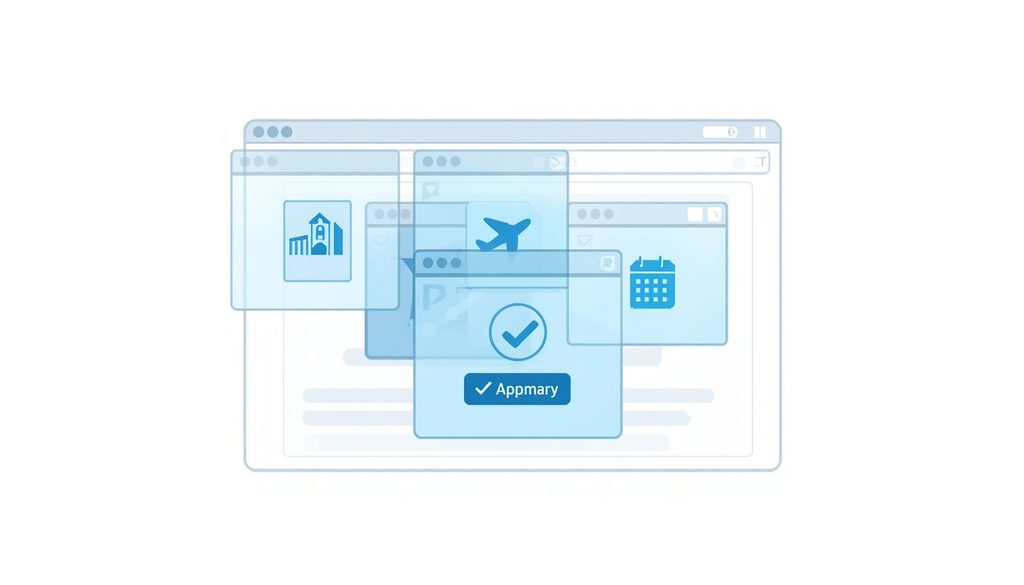
This is one of the more mature use cases for AI browsers 2026, because it plays to their real strength — reading and comparing multiple pages at once rather than making a single clever guess. Ask an AI browser to compare a product across a few retailer pages you have open, and it can lay out price, shipping cost, and rating differences side by side, instead of you toggling between tabs and losing track of which number came from where.
It’s worth being clear-eyed here: an AI browser is summarizing what’s on the page, not verifying prices in real time against every store on earth, and it can occasionally pull outdated or promotional numbers. Treat the comparison as a strong starting point, then double-check the final price before you buy.
5. They Can Help Plan Trips and Compare Options
Trip planning is the example almost every reviewer reaches for, and it’s a good one because it stacks so many small, tedious steps on top of each other: flights, hotels, dates, reviews, neighborhoods, weather.
An AI-assisted browsing session for a trip can look like this: you describe the destination, dates, and rough budget, and the browser opens relevant travel sites, pulls flight price ranges, shortlists a few well-reviewed hotels near where you want to stay, and drafts a simple day-by-day outline. One tester who tried exactly this — a three-day Lisbon trip with hotels near the city center and flights from New York — described getting back a shortlisted set of hotels, a flight price summary, and a working itinerary, instead of a plain list of links to sift through themselves.
That’s genuinely useful. It’s also worth remembering that flight and hotel prices change constantly, so treat anything an AI browser hands you as a starting shortlist, not a locked-in booking, until you confirm it on the airline or hotel’s own site.
AI Browser Capabilities at a Glance
AI Capabilities: What to Automate vs. Where to Double-Check
| Capability | What It Saves You | Where to Stay Careful |
|---|---|---|
| 🧠 Page understanding | Reading and skimming time | Can miss nuance in very long or technical text |
| 🌐 Cross-page research | Manual tab-switching | May pull slightly outdated info |
| ⚙️ Multi-step tasks | Repetitive clicking | Needs confirmation for sensitive steps |
| 🛒 Shopping comparisons | Price/spec hunting across sites | Always verify final price before buying |
| ✈️ Trip planning | Building an itinerary from scratch | Confirm real-time prices before booking |
| 📄 Summarizing documents | Reading dense material | Best used alongside the original, not instead of it |
6. They Can Summarize Complicated Information
This one goes beyond a single article. Longer PDFs, research papers, legal terms of service, dense product manuals — these are the pages most of us quietly avoid reading in full. An intelligent browser can pull out the core points, flag anything unusual, and let you ask follow-up questions directly about the document instead of hunting through it clause by clause.
The honest way to use this feature: treat the summary as a map, not a replacement for the territory. If a decision actually matters — a contract, a medical document, a legal notice — read the source yourself for anything the summary flags as important. An AI summary is a huge head start, not a substitute for judgment.
7. They Can Automate Repetitive Browser Tasks
The least flashy but arguably most useful capability is quiet automation of things you already do the same way every time — filling in a familiar form, checking the same few sites for updates, reorganizing a cluttered set of tabs into something coherent. This is where AI browser features stop being a novelty and start saving real, measurable time.
The caution here mirrors the multi-step task capability from Part 1: automation should handle the boring, repeatable steps, and hand control back to you before anything with real consequences — money, personal data, or an irreversible action — happens.

🎥 Watch Video
erplexity Comet ☄️ Agentic Shopping Live Demo LIVE
External Links (verified):
- Perplexity’s own security research on browser-agent risk: https://research.perplexity.ai/articles/browsesafe
- Anthropic’s engineering post on prompt-injection defenses in browser use: https://anthropic.com/research/prompt-injection-defenses
Are AI Browsers 2026 Actually Safe?
This is the section that deserves the most patience, because it’s the one most coverage rushes past.
An AI browser, by design, needs more access than a normal browser to be useful. To summarize a page, it reads the page. To compare tabs, it reads several. To act as an agent, it may need to click, type, and sometimes touch accounts you’re already logged into — email, shopping, banking. Every single one of those permissions is a convenience and a risk at the same time.
The Core Risk: Prompt Injection
The single biggest security concern around AI Browsers 2026 isn’t some distant, theoretical worry — it’s already been demonstrated repeatedly against real products. Researchers at Brave found that Perplexity’s Comet could be tricked through what’s called indirect prompt injection: hiding instructions inside a webpage — in text invisible to the human eye, like white-on-white, or buried deep in the HTML — that the AI reads as legitimate commands. In Brave’s demonstration, a page built this way managed to get Comet to take sensitive cross-site actions, including attempting to access banking pages, all while the user had simply asked it to summarize the page in front of them.
Security researchers found similar weaknesses within days of ChatGPT Atlas launching, and OpenAI has actually been unusually candid about it, admitting that prompt injection is unlikely to ever be fully solved, and acknowledging that agent mode expands the browser’s overall security threat surface. That’s not just spin — it’s close to how the industry genuinely talks about this risk internally right now, including at Anthropic, whose engineering team has published its own research on cutting prompt-injection success rates in agentic browsing.
In plain terms: a malicious website can, in some cases, whisper instructions to your AI browser that you never typed and never even see. That’s a fundamentally different threat model than any browser has ever had to defend against before.
What This Actually Means for You
Browser permissions — pay close attention to what an AI browser is asking to access, and don’t hand over blanket permission to email or financial accounts unless you understand exactly why it’s needed.
Personal data — anything the AI can read on a page, it can potentially act on. Be extra careful on pages holding sensitive personal or financial details.
Account access — logged-in sessions like banking, email, and shopping accounts are the highest-value target for prompt injection attacks, precisely because they let an attacker act using your own existing permissions.
AI mistakes — even without any attack involved, language models can simply misread a page or misunderstand an instruction. Treat agent actions as a draft to review, never as a guarantee.
Malicious webpages — the real attack surface isn’t your browser’s code, it’s every page the AI reads on your behalf, which is a much bigger and far harder space to audit.
Human confirmation — this is the single most important feature to look for. A well-built AI browser pauses before anything irreversible — purchases, sending information, account changes — and asks you to approve it first.
Sensitive tasks deserve extra caution — banking, healthcare portals, and anything involving passwords or one-time codes are the worst possible scenarios for handing over agent control right now.
None of this means AI browsers are unsafe for everyday things like reading, summarizing, and researching. It just means the newer, more powerful agentic features deserve real scrutiny before you let them touch anything that actually matters — the same way you’d think twice before handing a stranger your house keys, even a genuinely helpful stranger.
Best AI Browsers 2026: Which One to Watch
There isn’t one clear winner yet, and honestly, that’s useful to know — the “best” pick depends heavily on your operating system and how much automation you actually want in your life.
Perplexity Comet is the most broadly available option, running free across Windows, Mac, iOS, and Android. Its biggest strength is research: it’s built around Perplexity’s own search engine, so cross-page comparisons and sourced answers feel native rather than bolted on. It’s a solid pick for anyone who wants AI browsing without switching platforms or paying a cent.
ChatGPT Atlas has the strongest agent mode of the bunch — it can genuinely act across sites, not just summarize them — but as of mid-2026 it’s still Mac-only, with its agent capabilities locked behind a paid ChatGPT Plus subscription. If you’re on macOS and already living inside the ChatGPT ecosystem, this is the deepest integration you’ll find. Windows users are still waiting on a shipped build.
Dia, from The Browser Company (since acquired by Atlassian), is the most reader-and-writer-focused of the group, built around tab memory and lightweight skills rather than heavy automation. It’s also Mac-only, and specifically for Apple Silicon.
Brave Leo takes the opposite approach from Atlas entirely: privacy first, automation second. It doesn’t require a login, doesn’t store your prompts the way some competitors do, and it’s built into a browser people already trust for tracker-blocking. The tradeoff is fewer agentic features and occasionally slower responses.
Microsoft Edge with Copilot and Gemini in Chrome round out the list as the cross-platform options for people who’d rather not switch browsers at all — the AI layer is added to a browser you likely already use, rather than asking you to adopt a whole new one.
AI Browsers Compared
The AI Browser Landscape: 2026 Core Market Comparison
| Browser | Platform Availability | Main Strength | Best For | Privacy Note |
|---|---|---|---|---|
| 🌐 Perplexity Comet | Windows, Mac, iOS, Android — free | Cross-page research | Anyone wanting a free, cross-platform AI browser | Standard cloud-based processing |
| 🤖 ChatGPT Atlas | macOS only (Windows coming soon) | Strongest autonomous agent mode | Mac users using ChatGPT, willing to pay for agent mode | Agent mode expands attack surface — use cautiously |
| 📐 Dia | macOS, Apple Silicon only | Reader/writer-focused, tab memory | People who want a calmer, less automated assistant | Built by a team now under Atlassian |
| 🦁 Brave Leo | Cross-platform (built into Brave) | Privacy-first design | Privacy-conscious users wanting lighter AI features | No login required, prompts not stored |
| ⚡ Edge Copilot / Gemini | Cross-platform, built into existing browsers | No need to switch browsers | People who don’t want to leave Chrome or Edge | Tied to existing Google/Microsoft account permissions |
AI Browsers vs Chrome: The Final Take
Chrome isn’t going anywhere soon — it still commands the large majority of the browser market, and Google’s approach of folding Gemini directly into Chrome rather than launching a separate product suggests Google agrees that most people don’t want to switch browsers just to get AI features. That’s a reasonable bet: convenience usually beats novelty for most users, most of the time.
But it’s also fair to say Chrome is playing defense on the AI dimension rather than leading it. The most ambitious agentic features — the ones that actually complete multi-step tasks rather than just answering questions — are still showing up first in dedicated AI browsers 2026 like Atlas and Comet, not in Chrome itself. Whether that changes depends on how quickly Google decides to compete on automation rather than just search-and-summarize.
For most people, the realistic verdict is this: Chrome (or Edge, with Copilot) covers the majority of what most users need, and a dedicated AI browser earns its place primarily if you do a lot of research-heavy or comparison-heavy browsing, or you’re specifically drawn to agent mode and you’re on the right operating system to use it.
Will AI Browsers Replace Search Engines?
Probably not outright, at least not soon — but the relationship between browsing and searching is genuinely shifting. When an AI browser can read a page and answer your question directly, the traditional “search, click, scan, click again” loop shortens or disappears entirely for a lot of everyday questions. That’s already changing how some publishers think about traffic, since fewer users need to click through when a direct answer is available.
The more likely outcome, at least for now, is coexistence rather than replacement: search remains the way you discover things you don’t already have a source for, while AI browsing increasingly handles the “help me use what I’ve already found” part of the process. Full replacement would require AI answers to be reliably accurate across every kind of query, and hallucination remains a real, unresolved limitation — not a solved problem, no matter how confident a summary sounds.
The Future of Web Browsing
What’s already possible today: page summarization, cross-tab research, basic multi-step agent tasks (with confirmation steps), and document-heavy summarizing are all shipping, working features across the browsers covered here.
What may become possible, but isn’t guaranteed: fully autonomous task completion without human confirmation, on-device AI processing that doesn’t depend on sending your browsing data to a server, and prompt-injection defenses reliable enough that agent mode feels as safe as ordinary browsing. All three are active areas of research, not settled outcomes — treat any confident claim about when they’ll arrive with some skepticism.
A Familiar Scene
Picture this: it’s after work, you’re looking into a new laptop, and what starts as “let me just quickly check prices” turns into twelve open tabs, three spec sheets you don’t fully understand, and an hour gone before you’ve made a single decision. Most of us have lived some version of that evening.
That’s the exact friction AI browsers 2026 are built to cut down. Not by making the decision for you — you still choose the laptop — but by doing the tedious part: pulling the specs together, summarizing the reviews, laying out the price differences, so the hour you spent hunting becomes ten minutes of actually deciding.
FAQ
What is an AI browser?
A web browser with an AI model built directly in, so it can read the page you’re on, answer questions about it, and in some cases complete multi-step tasks on your behalf — rather than acting as a separate chatbot or extension.
How are AI browsers different from Chrome?
Chrome renders pages and lets you navigate manually. AI browsers add a layer that can understand, summarize, and sometimes act on page content directly, though several — including Chrome itself via Gemini — are adding these features without requiring a full browser switch.
Are AI browsers safe?
They’re safe for everyday reading and summarizing. The more powerful “agent mode” features carry real, documented risks — particularly prompt injection, where hidden instructions on a malicious page can manipulate the AI. Treat sensitive tasks (banking, personal data) with extra caution.
Can AI browsers perform tasks for users?
Yes — this is called agent mode. It can research, compare, and organize information across multiple pages, and in more advanced tools, complete actions like filling forms. Well-designed versions ask for your confirmation before anything sensitive or irreversible.
Can AI browsers replace Google Search?
Not entirely, at least not yet. They reduce how often you need to click through search results for straightforward questions, but discovery-based search and AI-assisted browsing look likely to coexist rather than one fully replacing the other.
Which AI browser is best for research?
Perplexity Comet is generally considered the strongest free, cross-platform option for research-heavy browsing, since it’s built around a research-first search engine rather than added on afterward.
Do AI browsers see my browsing history?
It depends on the browser and its settings. Because these tools read page content to function, they inherently have more visibility into what you’re doing than a traditional browser — check each product’s specific privacy settings and permissions before assuming otherwise
Are AI browsers worth using in 2026?
For research, comparison shopping, trip planning, and summarizing long content, yes — the time savings are real and measurable. For sensitive tasks involving money or personal accounts, it’s worth waiting for the security story to mature further, or at minimum, keeping human confirmation switched on for anything that matters.
Final Thoughts
So — are AI Browsers 2026 actually useful, or just another AI trend riding the hype cycle?
Honestly, both things can be true at once. The core capabilities — reading pages for you, researching across tabs, summarizing dense material — are genuinely useful and already saving people real time today, not in some hypothetical future. At the same time, the bigger promise of a browser that safely acts on your behalf across the entire web is still very much a work in progress, with security researchers and the AI companies themselves openly admitting that prompt injection isn’t a solved problem yet.
That’s not a reason to write off AI browsers — it’s a reason to use them the way any good piece of technology deserves to be used: for what they’re actually good at right now, with your eyes wide open about what they’re not ready for yet. Start with summarizing and research, where the upside is high and the risk is low. Be more careful before letting agent mode anywhere near something with real consequences.
At AI Tech Pulse, that’s the approach we keep coming back to with every new AI tool: useful first, hype second, and worth checking back on in six months — because this space is moving fast enough that today’s caveats may not all still hold by the time you’re reading this.