
AI video generators have quietly gone from a fun weekend experiment to genuinely serious creative tools in 2026. These days, you can describe a scene in a couple of sentences, upload a single image, or toss in a rough idea — and within minutes, you’re holding an actual moving video clip.
At AI Tech Pulse, we’ve been watching closely as generative AI keeps reshaping how people actually create content. AI video generators aren’t some niche curiosity anymore — they’re showing up everywhere now: YouTube videos, social media content, product demos, advertisements, storytelling projects, presentations, even early-stage filmmaking workflows.
But here’s the catch. There are simply too many of these tools floating around right now.
Some are remarkably good at photorealistic scenes. Others really shine when it comes to social media effects, talking avatars, product videos, or cleaning up footage you’ve already shot. And that creates a genuine problem — a tool that’s perfect for a YouTube creator might be completely wrong for a business owner, and neither might suit an independent filmmaker at all.
That’s exactly why this guide zeroes in on the 10 best AI video generators in 2026, covering both free and paid options. We’ll walk through what each one does well, where it falls short, the use cases it’s actually built for, and what genuinely makes it worth your time.
Quick answer: there’s no single AI video generator that’s perfect for everyone. The right pick really comes down to what matters most to you — realism, creative control, social media effects, editing power, avatars, or just plain price.
What Are AI Video Generators?
At their core, AI video generators are tools that use artificial intelligence to create or transform video content.
The simplest example is text-to-video. You type something like:
“A futuristic city at night with flying cars, cinematic lighting and rain falling on the streets.”
And the AI takes that description and turns it into an actual video.
But modern AI video generators go a lot further than basic text-to-video at this point—
Common AI video generation methods
AI Video Generation Methods
| Method | How It Works | Best For |
|---|---|---|
| 🎥 Text-to-video | Turns a written prompt into a video | Creative scenes |
| 🖼️ Image-to-video | Animates a still image | Product shots & photos |
| 🔄 Video-to-video | Changes an existing video using AI | Creative editing |
| 👤 AI avatars | Creates talking digital presenters | Tutorials & business |
| ✨ AI effects | Adds or transforms objects and scenes | Social media |
| ✂️ AI editing | Automatically edits clips and content | YouTube & marketing |
The technology is moving quickly. Leading platforms now compete on things such as motion realism, prompt accuracy, character consistency, audio generation, editing controls and the ability to work with images or other reference material.
This means choosing an AI video generator in 2026 is less about finding the tool with the flashiest demo and more about finding the one that fits your workflow.
How We Picked the Best AI Video Generators
For this list, we are not simply ranking tools based on how impressive one generated clip looks.
We are considering several practical factors:
- Video quality
- Motion realism
- Prompt understanding
- Creative controls
- Image-to-video support
- Audio capabilities
- Ease of use
- Free access or trial options
- Use cases
- Value for creators and businesses
One important thing to remember is that AI video pricing and limits can change quickly. Free credits, maximum video length, available models and regional access may be different depending on the platform and plan, so always check the provider’s current terms before subscribing.
Now, let’s get into the list.
10. InVideo AI — Best for Turning Ideas Into Complete Videos
If what you’re really after isn’t just a short cinematic clip but an entire finished video, InVideo AI is worth a look.
Instead of dropping you into a blank editor and leaving you to figure it out, the platform lets you hand it an idea or a prompt and lets AI help build out the video’s structure from there. That makes it particularly useful for creators who want to put together videos for YouTube, social media, marketing, or educational content — without burning hours manually editing every single scene.
What makes InVideo AI actually useful?
Its biggest strength is that it’s built around the whole content workflow, not just one piece of it. A typical AI video generator gives you a five- or ten-second clip and calls it done. InVideo AI is more focused on helping you take a raw idea and turn it into a genuinely complete piece of content.
Say you start with something like: “Create a YouTube video explaining five AI tools that small businesses can use in 2026.” Rather than hunting down every visual, writing every line of narration, and stitching the structure together yourself, the AI-assisted workflow helps pull all of that together for you.
Best for: YouTube creators, marketing videos, explainer videos, social media content, beginners, and businesses.
The downside
InVideo AI isn’t really the first pick if your priority is generating extremely cinematic, tightly controlled individual shots. Specialized video-generation models handle that kind of work a lot better.
Best use: creating complete AI-assisted videos, rather than just generating individual cinematic clips.
🎥 Watch: InVideo AI Tutorial — Create Complete Videos with AI
9. HeyGen — Best for AI Avatar Videos
Not every video needs a cinematic landscape or a futuristic city.
Sometimes you simply need a person on screen explaining something.
That’s where HeyGen becomes interesting.
HeyGen focuses heavily on AI avatars and presenter-style videos. Instead of recording yourself every time you need a tutorial, announcement or presentation, you can use an AI-generated presenter.
This makes the platform particularly useful for businesses, educators, marketers and creators who produce informational videos.
What can you use it for?
Imagine you run an online business and need a short product explanation.
Instead of:
Camera → lighting → microphone → recording → retakes → editing
an AI avatar workflow can significantly simplify the production process.
You can create presenter-style videos for:
- Product demonstrations
- Training
- Educational content
- Marketing
- Business announcements
- Social media
- Tutorials
AI avatar platforms have also expanded their language and lip-sync capabilities, making them useful for international content creators.
Why creators may like it
The biggest advantage is consistency.
You can create multiple videos without physically recording yourself every time. That can be especially useful for businesses producing large amounts of training or marketing material.
The downside
HeyGen is a different type of AI video generator from cinematic models such as Veo, Kling or Runway.
If you want a realistic movie scene, this is probably not your first choice.
If you want a digital presenter explaining something clearly, however, it makes much more sense.
Best use: AI presenters, business videos, tutorials and educational content.
8. Pika — Best for Fun Social Media Videos
Pika takes a different approach.
Instead of trying to replace a traditional film studio, it focuses heavily on creative and entertaining AI video effects.
That makes it particularly interesting for TikTok, Instagram Reels, YouTube Shorts and other short-form content.
Pika has become known for fast, visually interesting transformations and effects that can turn ordinary images or concepts into attention-grabbing clips.
Why Pika stands out
Social media is not always about making the most realistic video possible.
Sometimes the winning video is simply the one that makes someone stop scrolling.
For example, creators can experiment with:
- Creative transformations
- Stylized animations
- Image-to-video effects
- Character experiments
- Short-form visual effects
- Viral-style concepts
Pika is frequently positioned as a social-focused tool because its workflow is designed around quick experimentation and creative effects rather than a traditional filmmaking pipeline.
Best for:
- TikTok
- Instagram Reels
- YouTube Shorts
- Memes
- Creative experiments
- Quick AI effects
The downside
If you are producing a serious commercial film and need detailed control over every camera movement, Pika may not be the best option.
But for creators who want to experiment quickly?
Pika can be extremely useful.
Best use: Short-form social media content and creative AI effects.
7. Hailuo AI — A Strong Option for Creative AI Videos
Hailuo AI, developed by MiniMax, has become another name worth watching in the AI video generation space.
Its appeal comes from its focus on generating creative video clips from prompts and images, giving creators another option beyond the better-known platforms.
The important thing about Hailuo is that the AI video market in 2026 is no longer controlled by only a handful of companies. New models and platforms continue to compete on motion quality, realism, image consistency and generation costs.
Some 2026 comparisons include Hailuo alongside major names such as Veo, Kling, Runway and Pika.
Why try Hailuo AI?
It can be useful when you want to experiment with another generation style instead of relying on the same model for every project.
Different AI models can interpret exactly the same prompt differently.
For example:
Prompt:
“A futuristic motorcycle racing through a neon city during heavy rain.”
One model might prioritize cinematic lighting.
Another might focus on motion.
Another could produce a more stylized result.
That’s why experienced AI creators often test the same idea across multiple models.
Best for:
- Creative experiments
- Text-to-video
- Image-to-video
- Short cinematic clips
- AI creators looking for alternatives
The downside
Hailuo is not necessarily the obvious choice for every workflow. If you need a complete editing environment, advanced filmmaking controls or an established professional ecosystem, platforms such as Runway or Adobe may be more appropriate.
Best use: Creators who want another capable AI video model for experimenting with cinematic and creative clips.
Quick Comparison: Tools
Top AI Video Tools Breakdown
| Tool | Best For | Main Strength | Ideal User |
|---|---|---|---|
| 🤖 InVideo AI | Complete videos | AI-assisted video creation | YouTubers & businesses |
| 👤 HeyGen | AI presenters | Avatars & talking videos | Businesses & educators |
| 🎬 Pika | Social content | Creative effects | Short-form creators |
| ✨ Hailuo AI | AI-generated clips | Creative experimentation | AI video creators |
Which One Should You Try First?
If you are completely new to AI video generation, don’t immediately subscribe to five different platforms.
Start with your actual goal.
Want a YouTube video? Try an AI-assisted video platform such as InVideo AI.
Want a digital presenter? HeyGen makes more sense.
Want viral-looking short-form effects? Pika is worth exploring.
Want to experiment with cinematic AI clips? Hailuo can be another model to test.
And remember: the tool with the biggest name isn’t automatically the best tool for your project.
The AI video market has become much more competitive in 2026, with platforms such as Google Veo, Kling, Runway, Pika and others specializing in different parts of the creation process.
That’s exactly why the next tools on our list get much more interesting.
6. Adobe Firefly — Best for Creative Professionals
When you already work with images, graphics, branding, or other Adobe products, Adobe Firefly becomes a very interesting AI video option.
Firefly is part of Adobe’s broader generative AI ecosystem, and its video capabilities are designed to fit into creative workflows rather than exist as a completely separate AI playground.
One of its biggest advantages is that creators can combine AI generation with traditional creative tools. That matters when you’re working on advertising, social media campaigns, product visuals, or professional creative projects where the generated clip is only one part of the final video.
What Can Adobe Firefly Do?
Firefly can help creators generate video content from written descriptions and work with reference images and creative instructions.
For example, imagine you are creating an advertisement for a futuristic smartwatch.
You could start with a concept such as:
“A premium smartwatch floating above a reflective black surface, dramatic studio lighting, slow cinematic camera movement.”
Instead of filming the shot manually, generative AI can help you create an initial visual direction.
Why Adobe Firefly Is Interesting
The biggest advantage is the Adobe ecosystem.
A creator who already uses Photoshop, Premiere Pro, After Effects or other Adobe tools may find Firefly easier to integrate into an existing workflow than switching completely to another platform.
It is particularly useful for:
- Marketing campaigns
- Product videos
- Creative concepts
- Social media content
- Advertising
- Professional design workflows
The Downside
Firefly is not necessarily the best choice if your only goal is experimenting with the wildest possible AI-generated cinematic scenes.
Its biggest value comes from combining generative AI with an established professional creative ecosystem.
Best for: Designers, marketers and professional creators already working with Adobe tools.

5. Luma — Best for Creative Visual Storytelling
Luma is another important name in the AI video generation race.
Its AI video technology is aimed at creators who want to turn ideas, images and prompts into visually compelling moving scenes.
One reason Luma is interesting is its focus on visual storytelling.
AI video generation isn’t only about asking an AI to “make a video.” The more useful question is:
Can the model help you communicate an idea visually?
That’s where tools such as Luma become useful.
Where Luma Can Help
A creator might have a still image of a futuristic city but want to turn it into a moving establishing shot.
Instead of creating everything from scratch, image-to-video generation can add:
- Camera movement
- Environmental motion
- Character movement
- Atmospheric effects
- Cinematic transitions
This can be useful for YouTube intros, concept videos, advertisements and creative storytelling.
Luma for Content Creators
For a small creator, one of the biggest benefits of AI video is speed.
Creating a traditional establishing shot could require:
Camera + location + actors + lighting + editing
AI can reduce that process to:
Idea → prompt/reference → generation → editing
Of course, the result still needs human judgment. AI-generated footage can contain strange movements, inconsistent objects or details that don’t behave exactly as requested.
That’s why the best workflow is usually AI + human editing, not AI alone.
Best for:
- Visual storytelling
- Creative concepts
- Image-to-video
- YouTube content
- Advertisements
- Experimental filmmaking
The Downside
AI-generated video can still require multiple generations before you get the exact result you want.
So don’t expect one prompt to produce a perfect final shot every time.
Best for: Creators who want visually interesting AI-generated scenes and storytelling shots.

4. Kling AI — Best for Realistic AI Video
If realism is one of your biggest priorities, Kling AI deserves serious attention.
Kling has become one of the major competitors in the AI video generation market, particularly among creators looking for realistic motion and cinematic-looking clips.
Instead of simply generating a moving image, modern AI video models are trying to understand things such as:
- Camera movement
- Object motion
- Human movement
- Lighting
- Perspective
- Scene composition
- Physical interactions
That’s what makes the current generation of AI video tools so different from early AI animation systems.
Why Kling AI Stands Out
One of Kling’s biggest attractions is its ability to create detailed video clips from prompts and reference images.
For example:
“A professional chef preparing sushi in a modern Tokyo restaurant, slow camera movement, natural hand movements, warm cinematic lighting.”
The goal isn’t just to make the scene look attractive.
The AI needs to understand what should move, how the camera should behave and how objects should interact.
Kling for Social Media
Kling can also be useful for creators who want cinematic-looking short clips without traditional filming equipment.
A creator could generate several short scenes and then combine them inside CapCut, Premiere Pro or another editor.
This workflow can be particularly useful for:
- YouTube Shorts
- Instagram Reels
- Product videos
- Concept trailers
- Storytelling
- Cinematic experiments
The Downside
Like practically every generative video platform, Kling isn’t perfect.
You may occasionally see:
- Strange hand movements
- Inconsistent objects
- Character changes
- Unwanted motion
- Prompt interpretation errors
The trick is to treat AI generation as part of the creative process rather than expecting it to replace the entire process.
Best for: Creators looking for realistic and cinematic AI-generated clips.
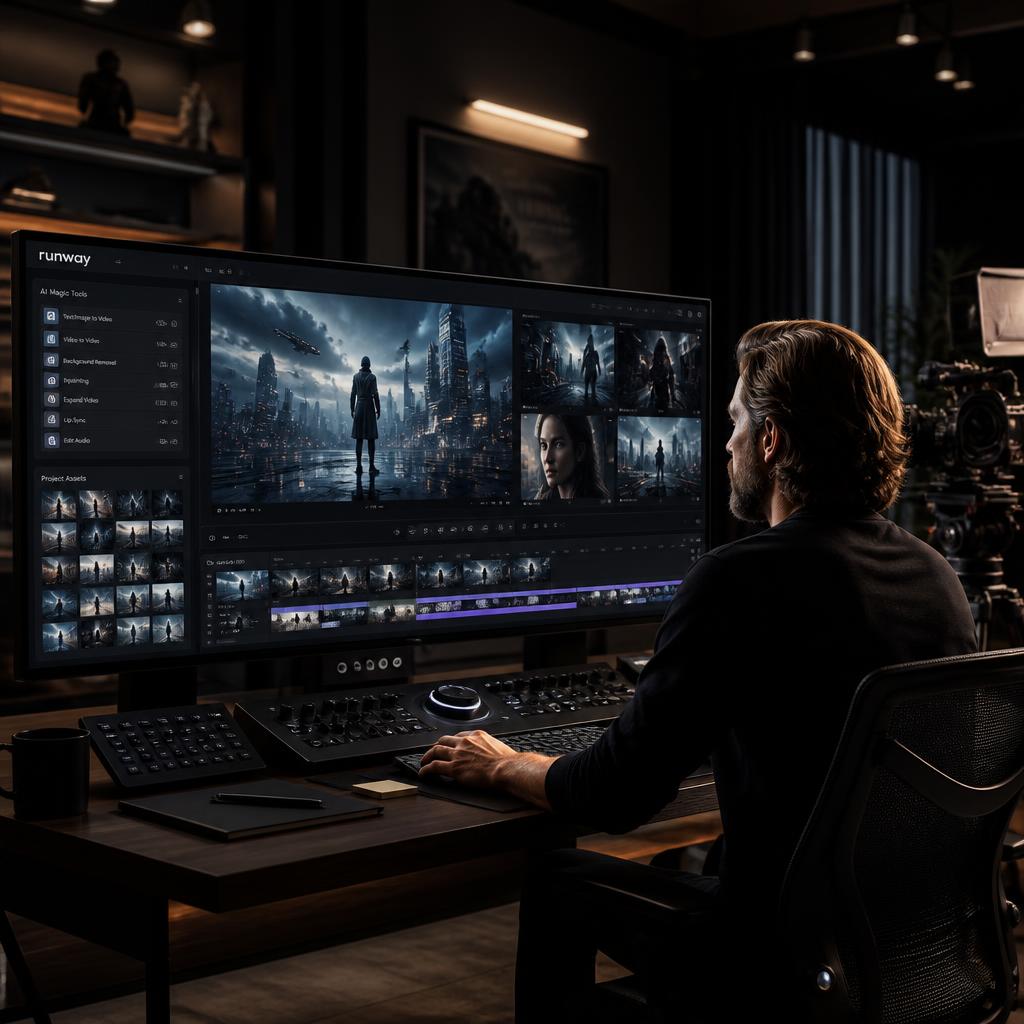
3. Runway — Best for AI Filmmaking and Creative Control
Runway is one of the platforms that helped push AI video generation into the mainstream creative conversation.
What makes Runway particularly interesting is that it isn’t simply positioned as a “type a prompt and get a video” website.
It is built around a broader creative workflow.
That distinction matters.
Professional creators don’t only need generated clips. They need ways to edit, transform and control those clips.
Why Runway Is Different
Runway has positioned itself around AI-powered filmmaking and creative production.
Depending on the available model and workflow, creators can work with text, images and video to develop visual sequences.
This opens the door to more advanced workflows.
For example:
Step 1: Create a concept image.
Step 2: Turn the image into an animated shot.
Step 3: Generate additional scenes.
Step 4: Edit the clips together.
Step 5: Add voice, music and sound effects.
Step 6: Finish the video in a traditional editor.
This hybrid workflow is becoming increasingly common.
Runway for Filmmakers
For filmmakers and advanced creators, control is often more important than simply getting a pretty image.
You may want:
- Specific camera movement
- Consistent visual style
- Controlled composition
- Reference images
- Scene transformations
- Multiple shots
- AI-assisted editing
Runway’s broader creative platform makes it especially attractive for those workflows.
Runway for YouTubers
You don’t need to be a professional filmmaker to benefit from Runway.
A YouTube creator could use it for:
- Video intros
- B-roll
- Storytelling sequences
- Background visuals
- Product concepts
- Shorts
- Thumbnail animations
This can save time when you need a visual that would be expensive or difficult to film traditionally.
The Downside
Advanced AI video generation can become expensive when you’re generating many versions.
And just like other platforms, quality can vary from one generation to another.
The best results usually come from creators who know how to write clear prompts and are willing to regenerate and edit.
Best for: Filmmakers, YouTubers and creators who want more creative control.
AI Video Generators: Comparison
Top AI Video Generators Compared
| Tool | Best For | Biggest Strength | Skill Level |
|---|---|---|---|
| 🎬 Adobe Firefly | Professional creative work | Adobe ecosystem | Beginner–Advanced |
| 🔮 Luma | Visual storytelling | Creative video generation | Beginner–Intermediate |
| 🤖 Kling AI | Realistic clips | Motion and visual realism | Beginner–Intermediate |
| 🚀 Runway | AI filmmaking | Creative control and workflow | Intermediate–Advanced |
Which Tool Is Winning So Far?
At this point, the answer depends heavily on what you’re trying to create.
Adobe Firefly makes the most sense for creators already invested in Adobe’s ecosystem.
Luma is attractive for visual storytelling and creative experimentation.
Kling AI is a strong choice when realistic motion is the priority.
Runway is particularly appealing when you want a broader AI filmmaking workflow rather than a simple video generator.
But we’re not finished.
The most interesting part comes next.
The top two AI video generators have become major competitors in the race to create increasingly realistic AI-generated video.
2. Kling AI — Best for Realistic AI Videos
When realistic motion is your priority, Kling AI is one of the strongest names to consider in 2026.
Kling has become a major competitor in the AI video generation market, especially for creators who want cinematic-looking scenes, realistic movement and detailed visual results.
Unlike basic AI animation tools, modern video models are trying to understand the relationship between objects, people, cameras and the environment.
That means a good AI video generator needs to understand more than just what an image looks like.
It needs to understand how the scene should move.
Why Kling AI Is So Popular
One of Kling’s biggest draws is how much it leans into realistic video generation.
You can start with a text prompt or a reference image and build out a short video concept without touching any actual filming equipment. Something like:
“A young filmmaker walking through a neon-lit Tokyo street at night, light rain falling, cinematic camera movement, realistic reflections, natural walking motion.”
The whole goal is to make the generated scene feel less like animation and more like something that was actually filmed. Current 2026 comparisons keep placing Kling right up there among the leading AI video platforms, alongside names like Veo and Runway.
Best Features
Kling holds up well for text-to-video creation, image-to-video generation, cinematic scenes, character animation, product visuals, social media clips, and creative storytelling.
Who Should Use Kling AI?
It’s particularly worth a look for YouTubers who want to generate B-roll and cinematic footage without a crew, social media creators chasing attention-grabbing short clips, marketers building out product concepts and advertising visuals, and AI filmmakers experimenting with scenes that would normally require gear they don’t have.
The Downsides
Kling isn’t flawless. Like most generative video models, it can occasionally produce inconsistent hands, strange object movement, characters that shift mid-clip, unwanted details creeping in, or motion that doesn’t quite follow what you actually asked for.
You’ll likely need a few attempts before landing the exact shot you want — and honestly, that’s just normal with AI video generation right now. The creators getting the best results aren’t generating one clip and calling it done. They’re generating several versions, picking the strongest one, and then editing the final video from there.
Best For: realistic AI-generated videos and cinematic short clips.
1. Google Veo 3.1 — Best for Cinematic AI Video
And here we are, at the top of the list.
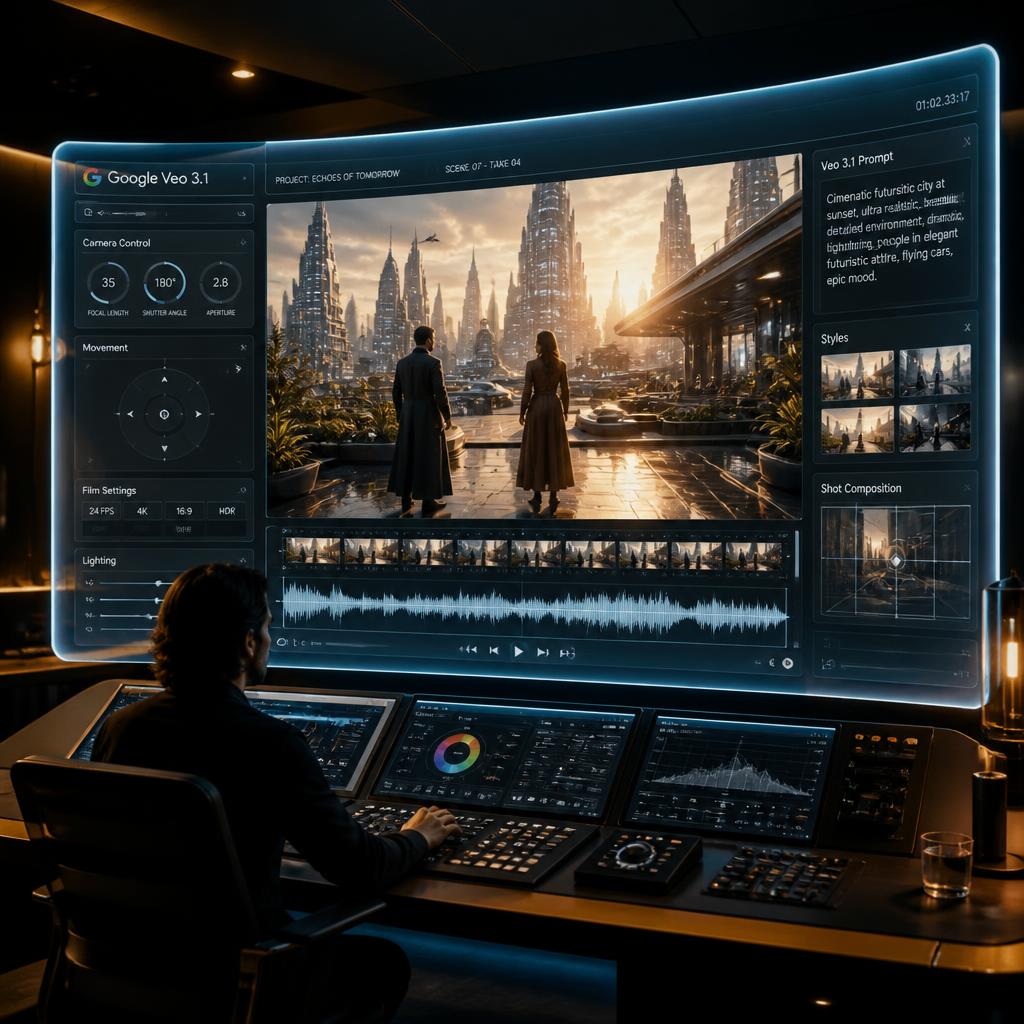
For creators chasing genuinely cinematic AI video, Google Veo 3.1 deserves serious attention. Google DeepMind calls Veo its leading video generation model, and Veo 3.1 specifically is built with filmmakers and storytellers in mind. Explore Google Veo 3.1
What makes Veo especially interesting is that Google isn’t treating video as just moving pictures. Veo 3 introduced native audio generation — dialogue, sound effects, ambient sound — while the newer Veo 3.1 pushes further on control, consistency, and creativity.
That changes the actual workflow in a meaningful way. Instead of generating a video and bolting audio onto it afterward, AI can increasingly build video, dialogue, sound effects, and ambient audio together, in one single generation pass.
Why Veo 3.1 Stands Out
Google’s current Veo 3.1 page points to improvements across realism, prompt adherence, creative control, consistency, audio, text-to-video, image-to-video, and realistic physics.
Veo 3.1 can also pull in reference images to guide specific elements — a scene, a character, an object — giving creators a lot more control over how the final result actually looks. That matters more than it might seem, because consistency has always been one of the biggest problems with AI video.
Picture you’re building out a short story. In Scene 1, your character’s wearing a black jacket. In Scene 2, the AI suddenly puts them in a red shirt for no reason. That kind of slip can wreck the continuity of the whole story. Reference-based generation is one of the ways modern video models are trying to actually solve that problem instead of just living with it.
Veo 3.1 and Native Audio
One of the genuinely interesting parts of Google’s Veo technology is the audio side of things. Google says Veo 3 can generate sound effects, ambient noise, and dialogue natively — not as an afterthought bolted on later.
So instead of a bare-bones prompt like “A chef cooking in a busy restaurant,” you can get a lot more specific: “A chef rapidly chopping vegetables in a busy modern restaurant kitchen. Close-up camera movement. Natural kitchen ambience, sizzling food, background conversations and realistic chopping sounds.”
The model then tries to generate both the visual scene and the audio that goes with it, together. That pushes AI-generated video a lot closer to being a complete storytelling medium on its own, rather than just a silent clip you have to dress up afterward.
🎬 Watch: Veo 3.1 in Action — Google’s Next-Generation AI Video Model
How to Write Better Veo Prompts
A huge mistake beginners make is writing prompts that are too short.
Instead of:
“A man walking in a city.”
try describing:
- Camera angle
- Camera movement
- Subject
- Environment
- Lighting
- Visual style
- Motion
- Audio
Google’s own Veo prompting guide recommends thinking about shot framing, camera movement, style, lighting and character descriptions when writing prompts.
For example:
“A cinematic medium shot of a young filmmaker walking through a futuristic downtown street at night. The camera slowly tracks backward as he walks toward the lens. Neon signs reflect across wet pavement. Light rain falls naturally. Realistic skin texture, shallow depth of field, subtle handheld camera movement, atmospheric city ambience and distant traffic sounds.”
This type of prompt gives the model considerably more information about the intended shot.
Google Veo 3.1 vs Kling AI vs Runway
Now that we’ve reached the top three, the differences become easier to understand.
AI Models Feature Comparison
| Feature | Google Veo 3.1 | Kling AI | Runway |
|---|---|---|---|
| 🎬 Cinematic quality | ⭐⭐⭐⭐⭐ | ⭐⭐⭐⭐⭐ | ⭐⭐⭐⭐⭐ |
| 🏃 Realistic motion | ⭐⭐⭐⭐⭐ | ⭐⭐⭐⭐⭐ | ⭐⭐⭐⭐ |
| 🎵 Native audio | ⭐⭐⭐⭐⭐ | Varies by model | Varies by model |
| 🎛️ Creative control | ⭐⭐⭐⭐ | ⭐⭐⭐⭐ | ⭐⭐⭐⭐⭐ |
| 🤝 Beginner friendly | ⭐⭐⭐⭐ | ⭐⭐⭐⭐ | ⭐⭐⭐⭐ |
| 🎥 Filmmaking | ⭐⭐⭐⭐⭐ | ⭐⭐⭐⭐ | ⭐⭐⭐⭐⭐ |
| 📱 Social media | ⭐⭐⭐⭐ | ⭐⭐⭐⭐⭐ | ⭐⭐⭐⭐⭐ |
| 💡 Best strength | Cinematic + audio | Realistic motion | Creative workflow |
Ratings are editorial guidance rather than laboratory benchmark scores; AI models and platform features change frequently.
Which Is the Best AI Video Generator in 2026?
There isn’t one answer for everybody.
The best tool depends on what you actually want to create.
🏆 Best Overall: Google Veo 3.1
If your priority is cinematic quality, realism, audio and creative control, Veo 3.1 is one of the strongest choices available.
Google currently positions Veo 3.1 as its leading video generation model, with text-to-video, image-to-video, audio+video generation and realistic physics among its capabilities.
🎬 Best for AI Filmmaking: Runway
Runway remains a strong option for creators who want a broader creative workflow rather than simply generating isolated clips.
🎥 Best for Realistic Motion: Kling AI
Kling is a strong choice when realistic movement and cinematic short clips are your priority.
👨💼 Best for AI Presenters: HeyGen
If you want an AI person explaining something on screen, avatar-focused platforms such as HeyGen are more appropriate than cinematic video models.
📱 Best for Social Media Effects: Pika
For short-form content and creative effects, Pika remains an interesting option.
Best AI Video Generator for Different Users
AI Video Tools: Find Your Perfect Match
| If You Are… | Our Pick |
|---|---|
| 📹 YouTube creator | Runway / Veo |
| 🎬 Filmmaker | Veo 3.1 / Runway |
| 📱 Social media creator | Pika / Kling |
| 💼 Business owner | HeyGen / Adobe Firefly |
| 🌱 Beginner | InVideo AI / Pika |
| 🎯 Marketer | Adobe Firefly / InVideo AI |
| ⚡ AI video enthusiast | Veo / Kling |
| 📚 Storyteller | Veo / Luma |
| 👤 Avatar creator | HeyGen |
| 🎨 Professional designer | Adobe Firefly |
Are AI Video Generators Really Free?
This is where things tend to get confusing.
A lot of AI video platforms advertise free access, but “free” rarely means “unlimited.” What you actually get is usually some combination of limited credits, shorter video lengths, lower resolution, watermarks stamped across the output, slower generation times, restricted access to the better models, or a hard cap on how many videos you can generate each month.
That’s exactly why it’s worth actually checking a platform’s current plan and usage rules before you build an entire content workflow around its free tier — the fine print changes more often than people expect. AI video generation also eats up a serious amount of computing power behind the scenes, so unlimited high-quality generation at zero cost was never really going to be the standard for most premium platforms long-term.
Our Advice
If you’re just experimenting, start with a free option and see how it feels before spending anything. If you’re producing videos on a regular basis, only move to a paid plan once you’ve actually tested the workflow and know it fits how you work. And whatever you do, don’t pay for five different AI video generators at once — pick one, actually learn its strengths, and figure out whether it genuinely saves you time before adding another tool to the pile.
How to Choose the Right AI Video Generator
Before signing up for anything, it’s worth sitting with five questions first.
1. What type of video do I actually need?
If you’re after cinematic scenes, look at a model built specifically for generative video. If you need a talking presenter, an avatar platform is the better fit. If what you really want is complete, ready-to-post YouTube videos, an AI-assisted editor is probably more useful than a raw generation tool.
2. Do I need audio?
If synchronized dialogue, sound effects, and ambient audio actually matter for your project, pay close attention to which platforms support native audio generation. Google’s Veo 3 is particularly notable on this front.
3. Do I need consistency?
For storytelling work, keeping characters and objects consistent across scenes can matter a lot more than nailing one gorgeous standalone clip. Look for tools that support reference images or stronger creative controls to hold that consistency together.
4. Do I need editing built in?
If you’d rather generate and edit inside the same environment instead of juggling two separate tools, a broader creative platform is going to serve you better than a bare-bones generation tool.
5. What’s my actual budget?
Don’t automatically reach for the most expensive platform on the list. For a lot of creators, a cheaper tool that genuinely fits how they work ends up delivering more real value than a premium platform they barely touch.
Final Verdict
AI video generation has changed dramatically in a short span of time.
A few years back, generating a halfway convincing AI video felt like a novelty — something you’d show friends and move on from. In 2026, creators can use AI to generate cinematic scenes, animate still images, build talking presenters, produce marketing videos, experiment with full storytelling, and even generate synchronized audio to go along with it all.
The biggest lesson through all of this is that there’s no single perfect AI video generator out there.
Google Veo 3.1 stands out for cinematic generation, realism, and native audio. Runway appeals to creators who want a broader filmmaking workflow rather than just one generation step. Kling is a strong pick for realistic motion. Pika, HeyGen, Adobe Firefly, Luma, and InVideo AI each lean into their own corner of what creators actually need.
The smarter question was never “which AI video generator is the best?” It’s “which AI video generator is best for the videos I actually want to make?”
That small shift in framing can save you money, save you time, and spare you a whole lot of frustrating trial and error.
And as these models keep improving, the line between traditional filmmaking and AI-assisted production is probably only going to get harder to see.
Frequently Asked Questions
What is the best AI video generator in 2026?
For cinematic video generation, Google Veo 3.1 is one of the strongest choices in 2026. It supports text-to-video, image-to-video and native audio generation, while also emphasizing realism, prompt adherence and creative control.
What is the best free AI video generator?
There isn’t one permanent winner because free credits and limits change frequently. Tools such as Pika, Kling and other platforms may offer limited free access, but users should check the current terms before relying on a free plan.
Which AI video generator is best for YouTube?
For YouTube, Runway, Veo and InVideo AI can all make sense, but for different reasons. Runway and Veo are better suited to generating cinematic scenes, while InVideo AI is more focused on building complete content workflows.
Can AI video generators create realistic videos?
Yes. Modern models can create increasingly realistic people, environments, camera movements and physical interactions. However, AI-generated videos can still contain visual inconsistencies, so human review and editing remain important.
Can AI-generated videos have sound?
Some modern models can generate audio alongside video. Google’s Veo 3 generation, for example, supports native sound effects, ambient audio and dialogue.
Are AI-generated videos good enough for professional work?
They can be useful in professional workflows, especially for concepts, advertising, social media, B-roll, storytelling and creative experimentation. However, professional results often still require human direction, selection and editing.
Which AI video generator is best for beginners?
Beginners may prefer tools with simpler interfaces, such as InVideo AI or Pika. Users interested in more advanced filmmaking can gradually move toward platforms such as Runway, Kling or Veo.
Is AI video generation going to replace filmmakers?
Not completely.
AI can automate parts of video production, but storytelling, creative direction, acting, cinematography, editing and human judgment still matter.
The more likely future is AI-assisted filmmaking, where creators use AI to speed up parts of the production process rather than remove humans entirely.
The Bottom Line
The AI video revolution isn’t coming — it’s already here.
Whether you’re a YouTuber piecing together B-roll, a marketer putting together an ad, a filmmaker testing out a new idea, or a total beginner making your first AI-generated clip, there’s genuinely a tool out there built around what you actually need.
Start small. Try out a few different tools before committing to one. Get a real feel for what each model actually does well — and just as importantly, where it falls short. Then build your workflow around whichever one actually saves you time, not whichever one has the flashiest demo.
For most creators, the real goal was never just to churn out more videos.
It’s to make better ones, faster.